Watch operation instructions:
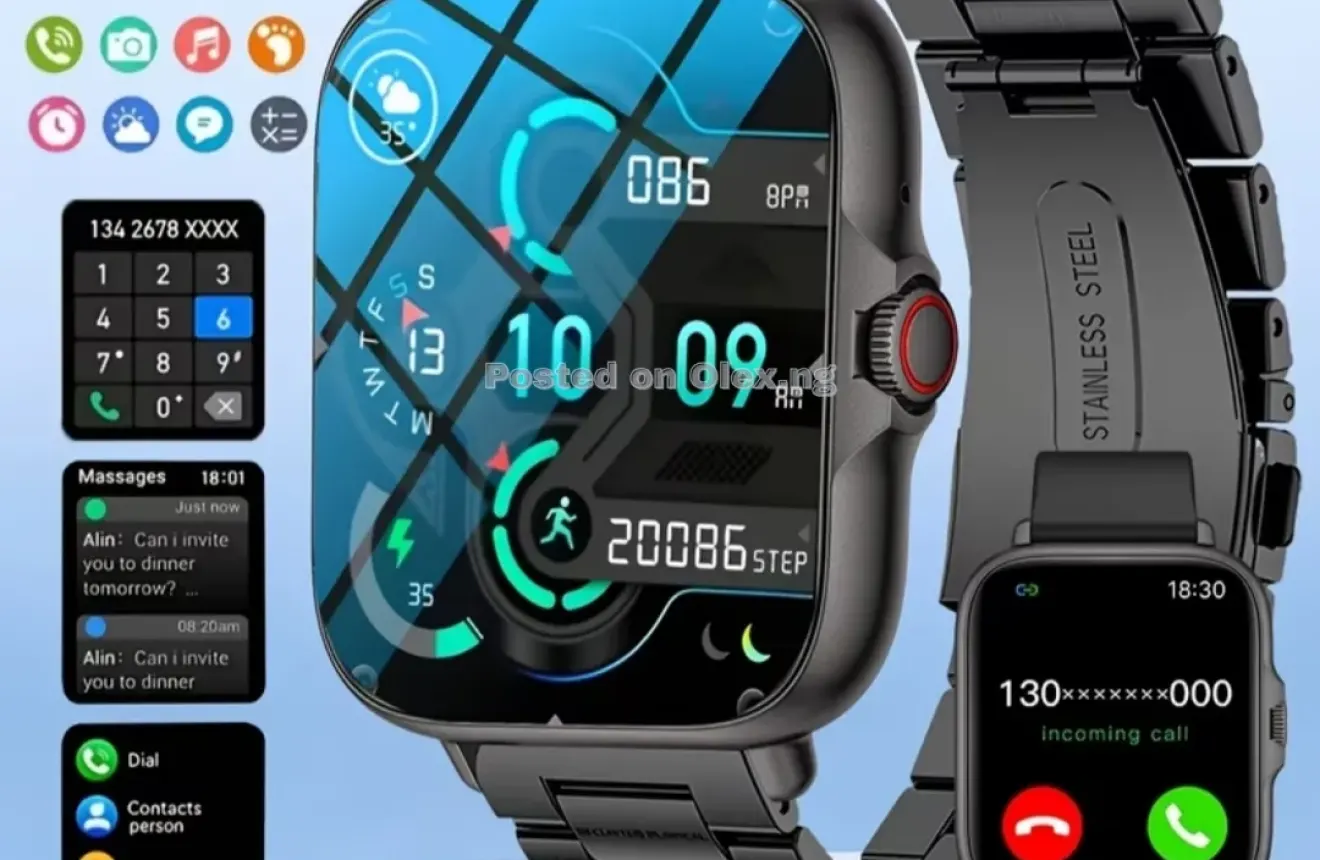
Function introduction: Dialing: Connect to wireless on yourphone and make calls on your
watch; Contact person: Afterthe watch is successfully connected to the APP, you can adda
contact person in the APP. After the contact person is successfully added, the watch's phone
book will be synchronizedand displayed. Clicking on the contact person in the phone book on
the watch can make a call; Call history: can display call history on the watch end, click on the
phone number to dial; Information: Display mobile phone information push content,
supporting multiple types of information such as SMS, WeChat, Facebook, WhatsApp, Twitter,
etc; Exercise: Select multiple exercise modes, randomly start one exercise, and record the
information of the exercise process; After the end, you can view the exercise records;
Pedometer: Count the daily step count data and reset it to 0 at 00:00 in the morning;
Sedentary reminder: Set sedentary reminder through mobile app;wireless photography: The
camera needs to be turned on inthe app and operated by the watch to take photos;
wirelessmusic: can control the playback of music on the phone, adjust the volume with "+"
and"_"Settings: including wireless switch, notification settings, handup screen, vibration,
button settings, backlight display, soundand touch, APP view, language settings, cover and
turn off screen, smart island, shake to answer, do not disturb mode, turn
off clock, shutdown, restart, factory reset, and turn off the device; Looking for a mobile phone:
The phone is not in silentmode, and when operating the device, the phone will ring;off clock,
shutdown, restart, factory reset, and turn off the device; Looking for a mobile phone: The
phone is not in silentmode, and when operating the device, the phone will ring:Stopwatch:
supports stopwatch timing and segmentation;Calculator: capable of performing simple
calculations; Calendar: Calendar can be viewed on the device side; Alarm: Youcan customize
the alarm and long press to delete it;Style: Multiple Ul Styles Switching SIRI: Press and hold to
speak for remote control of bedside lamps: After turning on, place the charging device and
display standby mode; Off screen clock: When turned on, the time pointer is displayed
whenthe screen is turned off;
Remove the watch, pinch one end of the strap and push it outalong the main wristband slot to
successfully remove the strapfrom the main unit.
The measurement results of this product are for reference only,and the data provided by the
product is not intended for any medical use or basis.
If using a power adapter for charging, a power adapter that meets the corresponding safety
standards should be used to avoid explosions or fires caused by counterfeit power adapters.
Basic parameters:
Support system: Android 5.0 or lOS 9.0 and above Support languages: English, Simplified
Chinese, Italian, Portuguese, Polish, Spanish, French, Russian, Turkish, Hungarian,
Dutch,German, Thai, Indonesian, Malay, Filipino, Persian, Hebrew.Finnish, Swedish,
Vietnamese